

WHAT HAPPENS AFTER RECORDING
See the next step take shape.
Turn one conversation into clear ownership and visible follow-through.
-
Captured
Start recording. Save in the app.


-
Understood
Transcribe, Summarize and
Extract actions
-
Assigned
Check and edit owners. Add actions
to Task Center.
-
Follow-through
See the recipient’s completion
or comment.


CAPTURED · WITHOUT INTERRUPTIONS
Hold 2s. Start recording.
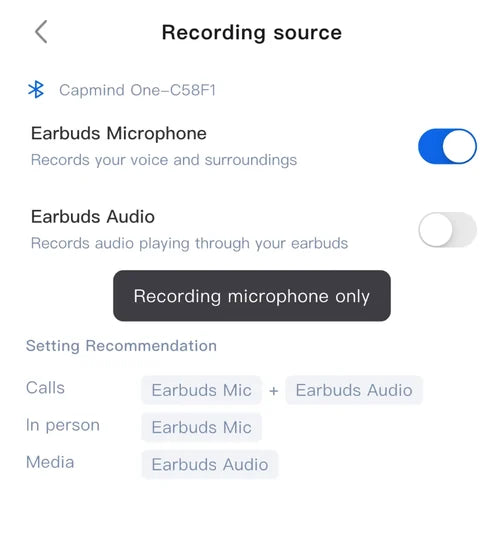
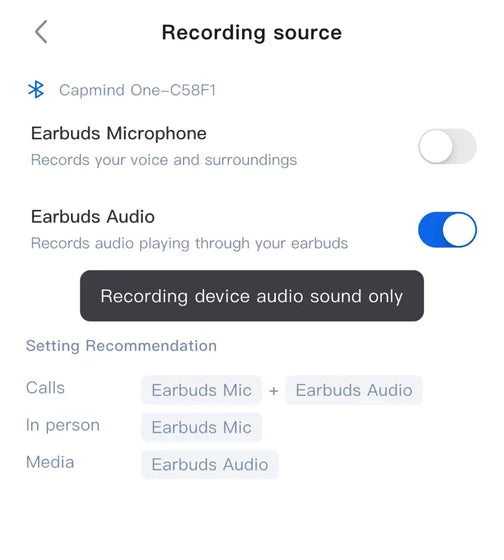
Record your surroundings and earbud audio together. Turn either source off in the app.
01Hold for 2 seconds
Hold the “M” on either earbud.

02Or start in the app
Tap Record. No recording mode to choose.

 Recording
Earbuds Mic + Earbuds Audio
Calls

Earbuds Mic
In person
Earbuds Audio
Media
Start with the screen off. Keep recording through calls.

 2s
Screen off
Hold earbud

Screen off. Recording on.
Hold either earbud for 2 seconds to start.

Brief call. Still recording.
A call lasting 3–5 seconds won’t split your recording.

Bring someone in by phone.
Keep the meeting and call in one recording.
Call Recording Compatible with:

While worn

In the open case
LED signals and voice cues, at a glance.
-

Standby
LED off
-

Start
Solid 1s, then pulsing
“Recording”
-
Recording
Pulsing red
-
Stop
Solid 1s, then off
“Recording Ends”


¹ Capmind App has been optimized for background operation. No need to keep the app open—just avoid force-closing it. Voice prompts confirm when recording starts and stops.
UNDERSTOOD · LIKE A PRO
Accurate notes. Deeper understanding.
From accurate, speaker-labeled transcripts to structured summaries, get the full picture in a fraction of the time.
-
112 languages
English, Español, 日本語, Français, German, 简体中文, ภาษาไทย, …
Language settings- English (US) English (US)
- 日本語 Japanese
- Español Spanish
- 简体中文 Chinese (Simplified)
-
Auto language detection*
Based on your country and language habits.
Audio language Auto Based on Country English Español Language habits 日本語 简体中文 Français -
Speaker labels
Know who said what.
Transcript 00:07 WilliamOkay, let’s talk about summarize
00:14 Jennifer
features — manual vs. auto.
Which comes first?Honestly, I think manual should
go first. It’s simpler, less risk,
and gives users full control
while we figure out what “good”
summaries look like. -
Up to 97% accuracy*
Enterprise-grade AI for more precise transcription.
Transcript Up to 97% Engineering review Enable SAML 2.0 SSO before rollout. Keep p95 API latency under 200 ms . Transcript excerpt -
Templates
Choose a format for the meeting.
Templates General Interview Business Project -
90-Second Brief
Get the essentials in a quick read.
Summary 90s read Brand training- Founder story
- Market landscape
- Company vision
* Auto language detection considers your country and language habits. For a language you rarely use, select it manually.
* Accuracy may vary depending on audio quality, language, accents, and recording conditions. Actual results may differ.
90 seconds refers to reading time. Visuals are simplified App UI concepts with content excerpts.
FOLLOW-THROUGH · IN THE LOOP
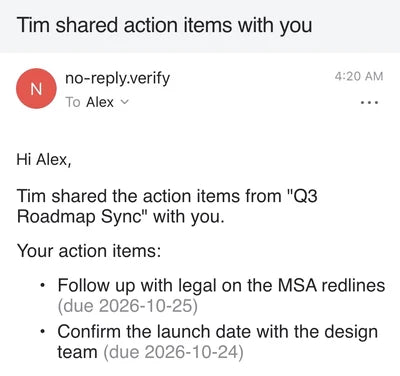
Send the task. See the update.
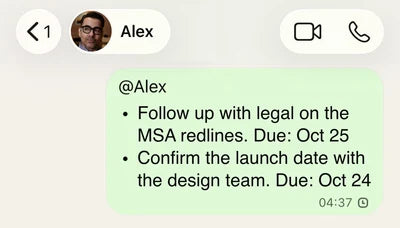
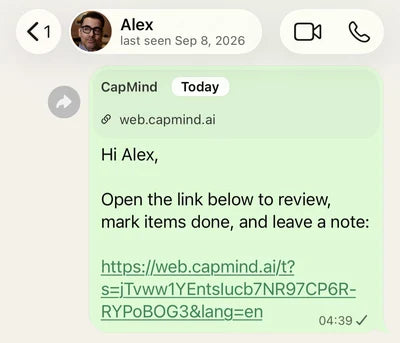
Share tasks effortlessly. Recipients can mark them done or leave comments—no app or sign-in required.
Share with All
Share with single person
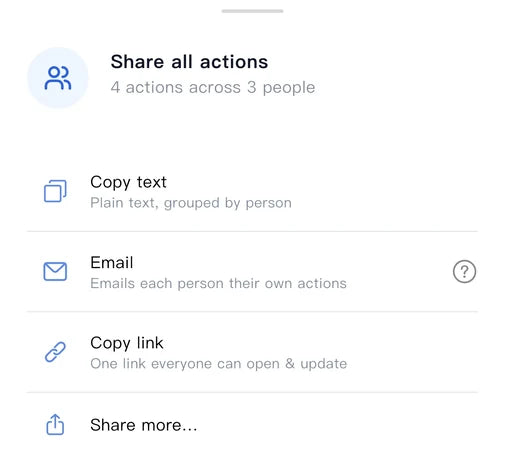
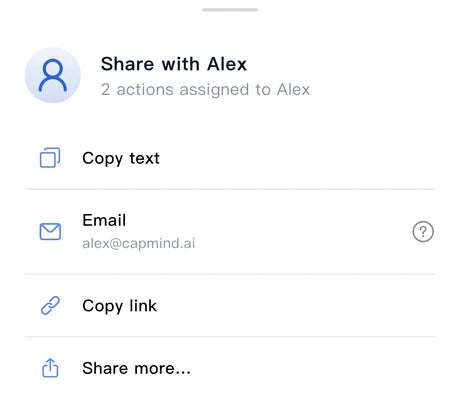


Copy text
Copy link

Share more


No App. No Sign-In.


ASK CAMI
Have a question? Ask Cami.
Find answers, clarify uncertainties, and draft follow-ups—all from your recorded meetings.
-
Find the detail
Find owners, deadlines, and pending approvals.

-
Clarify uncertainties
Quickly surface disputed points and clarify what was actually said.

-
Draft the follow-up
Turn decisions and next steps into a ready-to-copy email.


Cami answers from your recorded meetings. Review AI answers and drafts before use; the email shown is a draft, not a sent message.
APP + WEB
Your meetings. Wherever you work.
Capture on your phone. Access your synced meetings on the web. Stay in control of what goes to the cloud.
-
Cloud Backup
Your synced meetings stay safe,
even when you change phones. -
Seamless Sync
Your meetings stay with you,
from phone to browser. -
Sync on Your Terms
Turn cloud sync on or off.
Your data, your choice. -
More on the Web*
More features. More ways
to get work done.

- Cloud Sync : on
- Sync on Wi-Fi only Pauses syncing on mobile data : off
Sync controls in Settings
*The web shows meetings synced to the same Capmind account. Turning cloud sync off doesn’t delete meetings already in the cloud.
CONNECT CLAUDE & CHATGPT
Your AI is brilliant. Give it the context.
Give your AI the context behind your work. Turn meetings into proposals, plans, and real deliverables—not just notes.
-
Less explaining
Meeting context, ready whenever your AI needs it.
-
More doing
Turn real conversations into real deliverables.
-
Connect the dots
Bring multiple meetings together to see the full picture.
 Claude
 ChatGPT
-
Ask AI4 project meetings
Summarize this month’s Atlas meetings into a report.
01-monthly-project-report.pdf6 pages
Monthly Project Report
- 72%Progress
- 61%Budget used
- 2Open risks
Workstreams
- Design
- Build
- Launch
1 / 6
-
Ask AI2 partnership calls
Draft scope, fees and delivery terms from the Northstar calls.
02-partnership-agreement.pdf8 pages
Partnership Agreement
- 1. ScopeResale and first-line support across the EU.
- 2. Fees$12,000 monthly retainer, plus 8% of net sales.
- 3. DeliveryFirst shipment within 30 days of signing, then quarterly reviews.
1 / 8
-
Ask AI1 hiring call
Draft the role, pay and start date from Jamie’s hiring call.
03-offer-letter.pdf3 pages
Offer Letter
Dear Jamie, we’re delighted to offer you this role, as discussed on our call.
- Role
- Senior Product Designer
- Pay
- $128,000 a year
- Start date
- January 11, 2027
We look forward to having you on the team.
Sincerely,
1 / 3
More connectors will come soon
 Google Calendar
 Google Drive
 Google Tasks
 Slack
 Notion


Uses authorized meeting context. Generated deliverables are drafts. Planned connections are not available at launch; timing to be announced. Examples are illustrative.
300 TRANSCRIPTION MIN / MONTH INCLUDED
Start free. Grow at your pace.
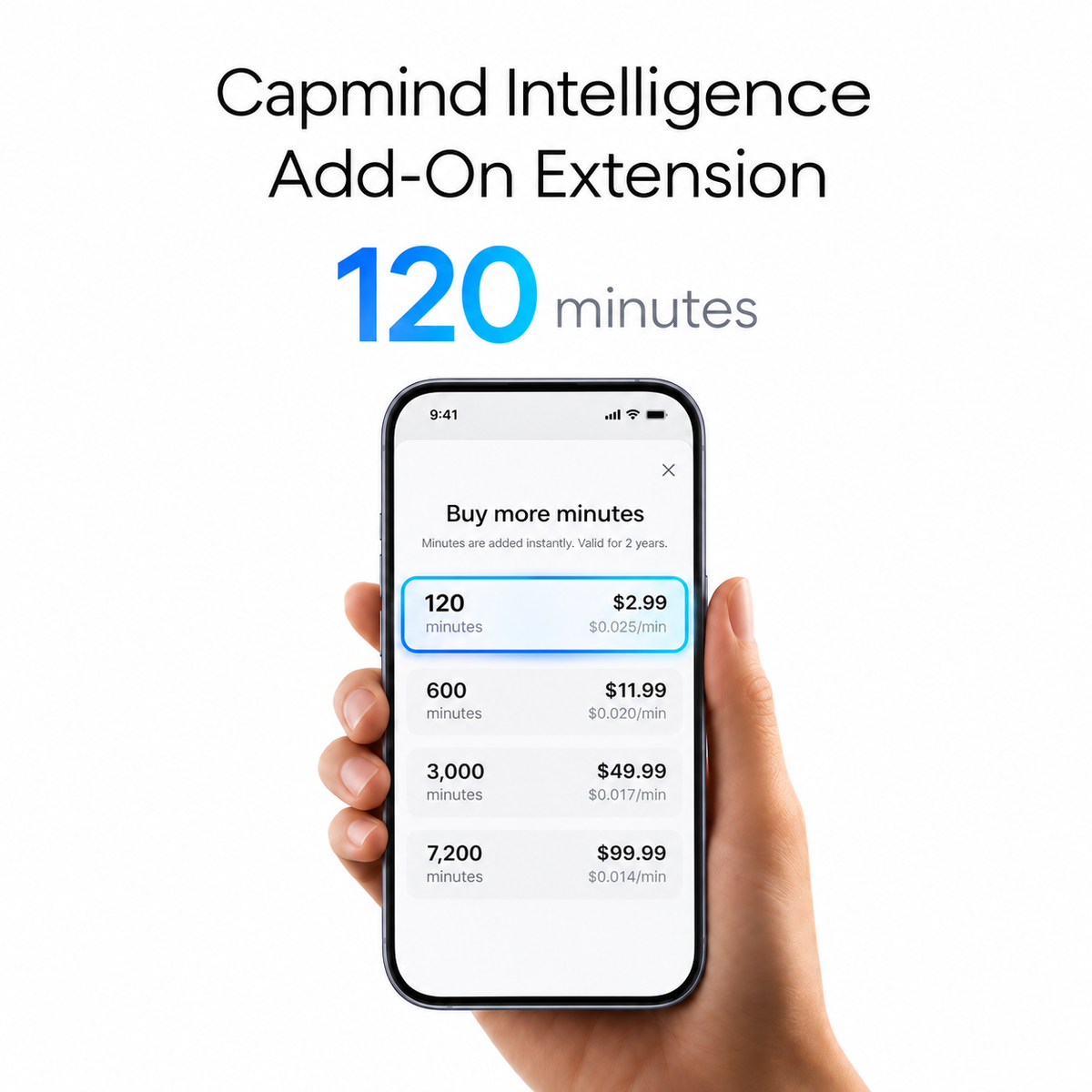
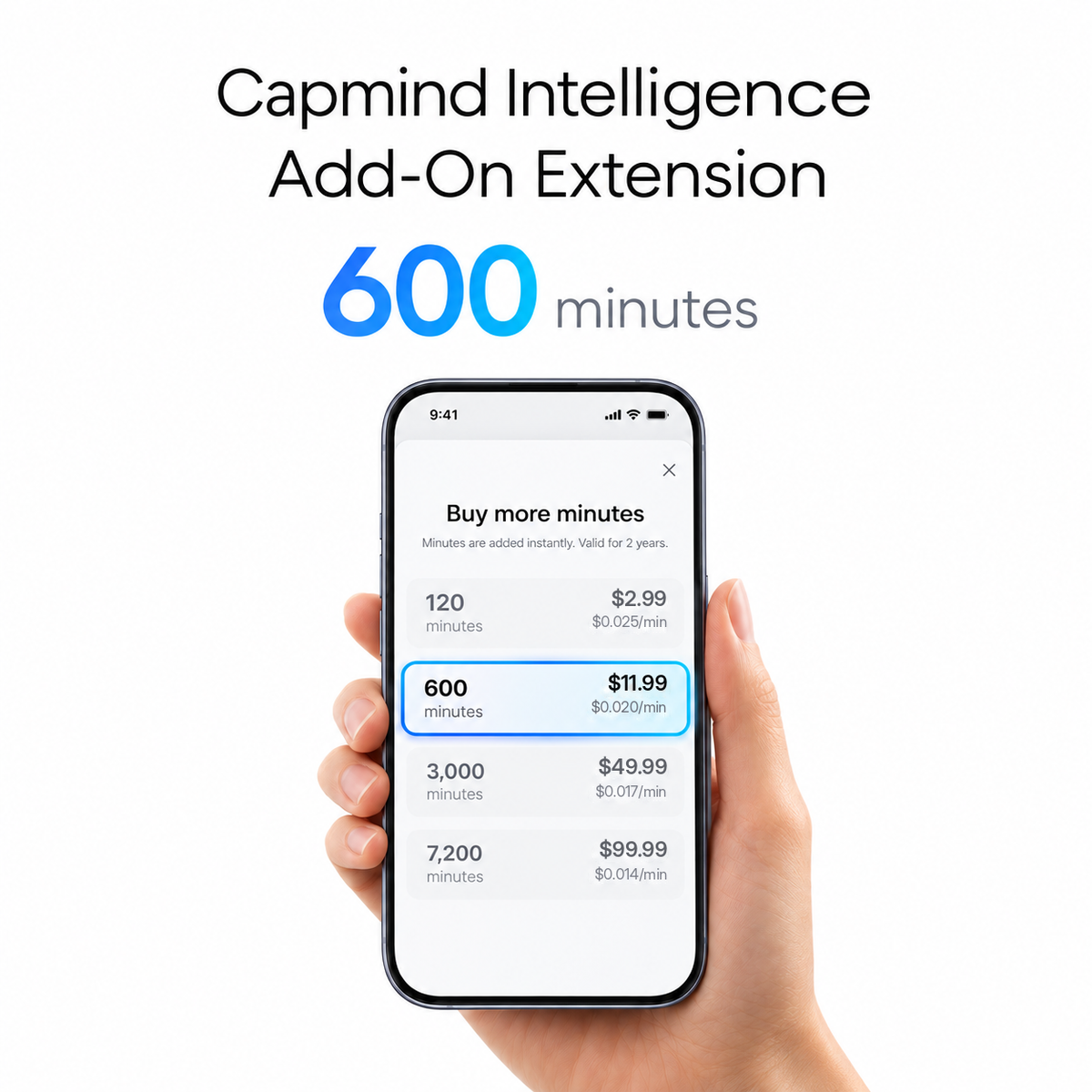
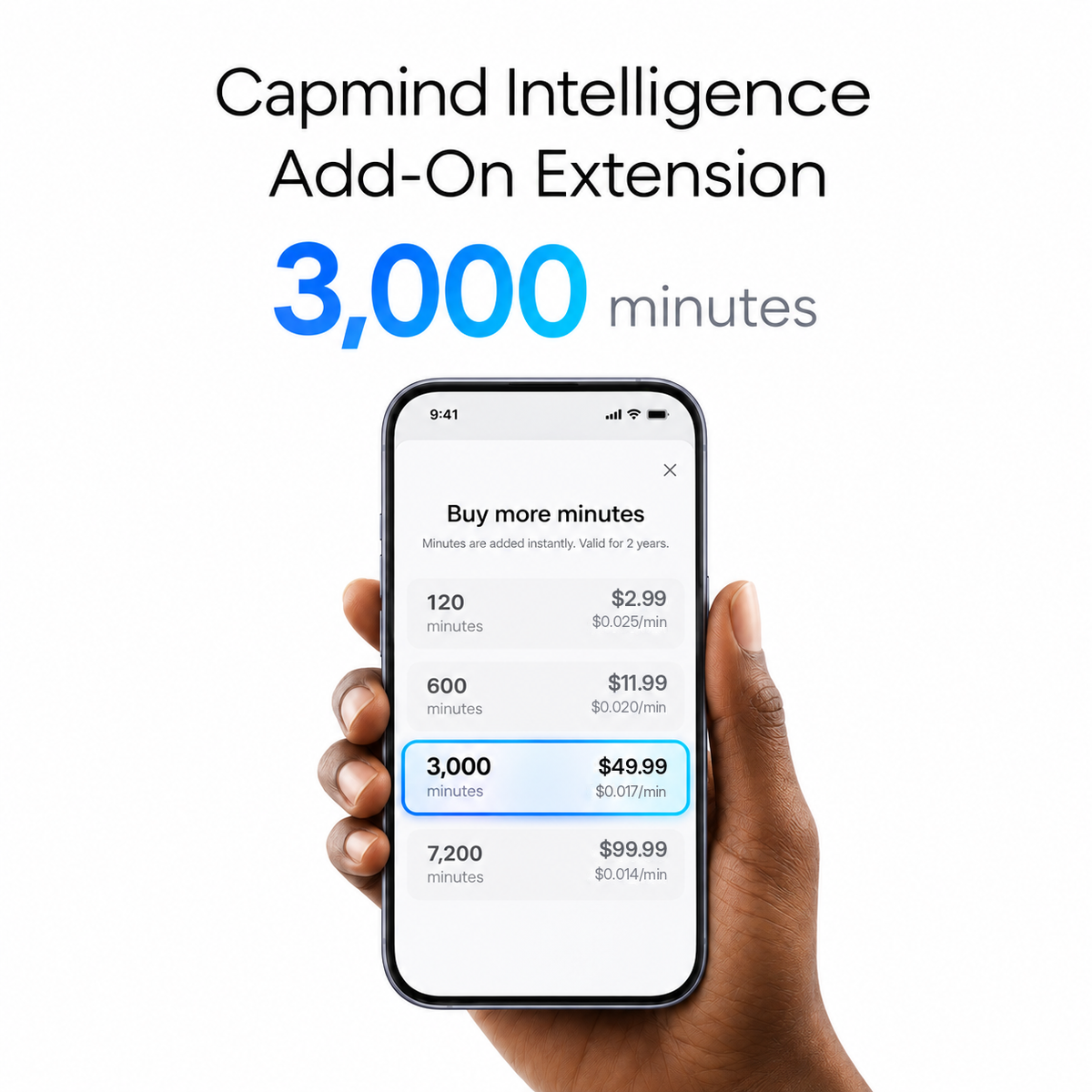
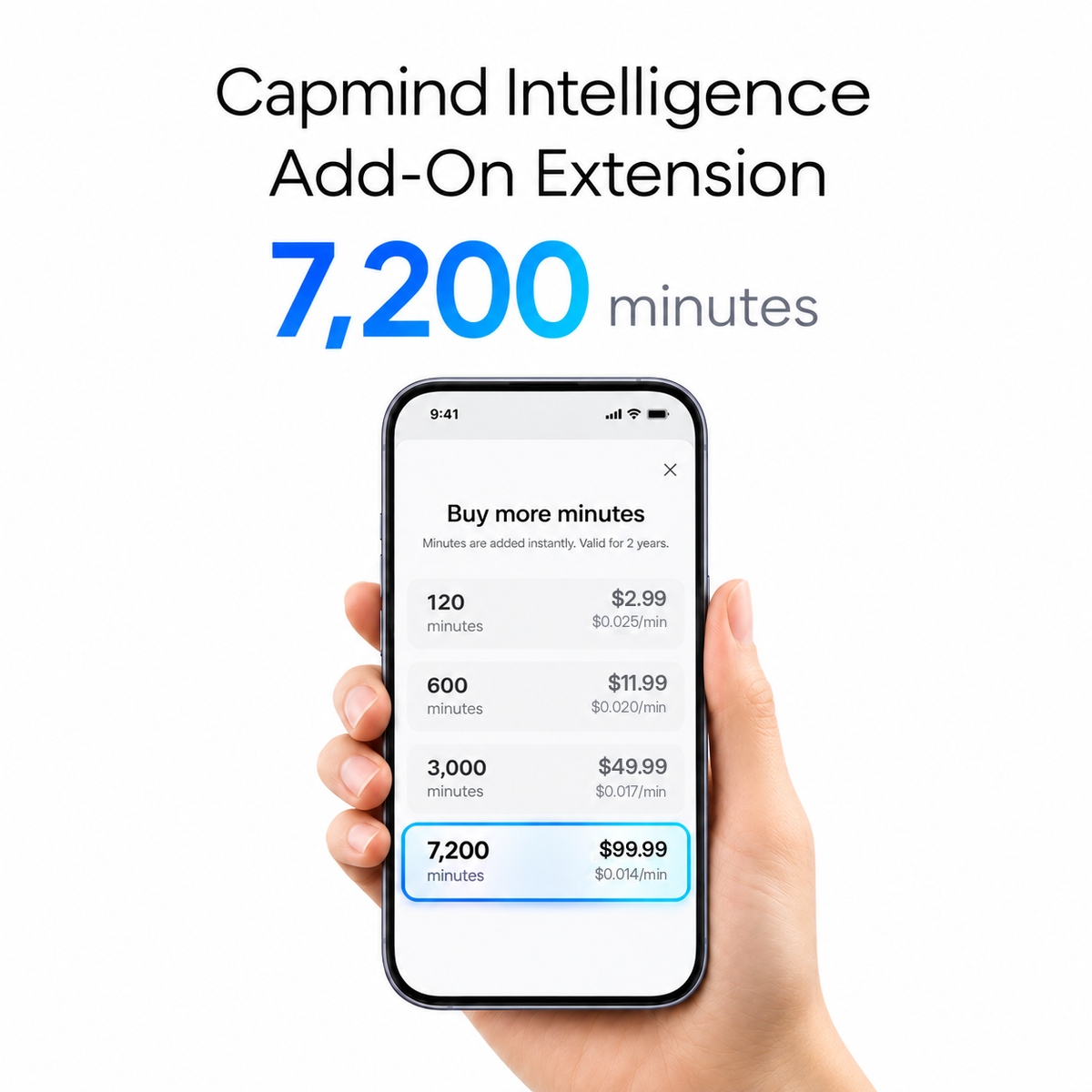
Every Capmind One comes with 300 transcription minutes each month.
Upgrade only when you need more.
Basic
Free
Included with Capmind One activation
Pro
$8.33/month
Billed annually*
Max
$19.99/month
Billed annually*
Compare all benefits
Included in every plan
- 112 languages
- Capmind intelligent to-dosBeta
- Capmind cloud sync
- Ask CAMIBeta
- Speaker labelsBeta
- Industry templatesBeta
- App and web access
- Capmind MCP serverBeta
- Auto-transcription
- Custom templates
- Share and exportBeta
* Max transcription is limited to 8 hours per day.
YOUR CONVERSATIONS · YOUR CONTROL
Your conversations. Your say.
Your conversations are yours to control. Choose what to capture and share,
while enterprise-grade security helps keep your data protected.
-
AES-256 Encryption
Built to protect your data.
WHAT’S ENCRYPTED
All voice and text transmissions, including your recordings and transcripts, are encrypted with AES-256.
-
AWS Cloud
Trusted cloud infrastructure.
WHERE IT’S HOSTED
Your data stays on your phone by default. If you turn on cloud sync, it’s stored on AWS, with global deployment and rigorous security controls.
-
GDPR-Aligned Design*
Privacy-conscious by design.
WHAT IT COVERS
Capmind’s architecture is designed around GDPR, with privacy considered from the start.
-
NO Data Training
Your content isn’t used to train AI.
WHAT IT APPLIES TO
All of your data. Delete it and close your account, and it’s permanently and irreversibly erased.
*GDPR-aligned design: Capmind’s architecture is designed around GDPR. Formal certifications, including GDPR, SOC 2, HIPAA and EN 18031, are in progress.
ABOUT CAPMIND.AI
What comes next matters.
Capmind.AI was founded in 2023 by Alex Qin,
the former Co-Founder of Timekettle, with a singular idea:
“Recording is not
to archive the past,
but to clarify
the future.”
We are building an AI work partner that understands the world you work in, helping you make decisions and turn more of them into action. Our Story
Our belief
Intelligence must understand the world people work in.
Our mission
Extend Human Agency.

Our vision
Become the most trusted AI work partner for founders and small-business leaders.
Featured in Top-tier global media


FAQ
How is Capmind better than just using a phone recording app?
Recording on your phone usually looks like this: you pause the conversation to pull out your phone, unlock it, scroll left or right to find the recording app, open it, and tap “Record.” And if you switch apps or take a call, the recording stops.
Capmind offers many advantages over recording on your smartphone, including:
- 10× more convenient, with zero disruption — one press to record makes it effortless and natural. Conversations never slip away, because you have a dedicated device for the job.
-
Capture multiple conversations in one loop — easily record calls (phone calls, WhatsApp, Line, Telegram, and more), on-the-go conversations, and both online and in-person desk-front meetings. And to turn meeting notes into more deliverables and insights, Capmind feeds your conversation notes into your AI-native workflows.
- Summary templates — Capmind automatically transcribes and summarizes using premium frontier AI models. Build your own custom summary template, or choose from professional templates tailored to every use case and industry.
What is VoiceCap technology, and how does it let me record traditional phone calls and internet calls (WhatsApp, Line, Telegram, and more)?
During phone and internet calls, the Capmind earbud captures the voices of both parties and sends them to the Capmind app over BLE. Freed from the constraints of your phone’s operating system, you get clear, disruption-free recordings of every call and meeting.
Can Capmind record calls, in-person conversations, and media playback?
Yes. Capmind is designed to work naturally across different situations—without asking you to switch between recording modes.
It records from two sources by default:
- Earbud microphone captures your voice and sounds around you.
- Earbud audio captures sound played through your earbuds, such as calls, online meetings, and videos.
In most cases, simply leave both sources on. Capmind records whichever source has audio:
- In-person conversations: the earbud microphone captures the discussion. Since no sound is playing through your earbuds, the earbud-audio track simply has nothing to record.
- Calls, online meetings, and VoIP calls: Capmind captures both sides of the conversation—the other person’s voice through earbud audio, and your voice through the earbud microphone.
- Videos, talks, or other media: earbud audio captures what you are listening to. When you are at home or in another quiet setting, the microphone will have little or no surrounding sound to pick up. If there is nearby noise you do not want included, you can turn off the microphone.
- Mixed situations: when you are broadcasting, sharing a video, or explaining something while media is playing, leave both sources on. Capmind can capture the video or shared audio through your earbuds as well as your own commentary through the microphone.
You can turn either source off whenever you want to record only one type of sound. With both enabled by default, Capmind is ready to capture the moment without interrupting your flow.
What are the main differences between Capmind and magnetic-card or clip-on voice recorders?
Capmind isn’t here to build yet another AI recording device. Our core mission is to use voice capture as the starting point for helping you drive your goals to completion — so every choice in Capmind’s form factor and software serves that mission:
- Discreet, with low social pressure — a wearable, open-ear earbud blends seamlessly into work and life. Clip-on and pendant devices are conspicuous, which creates real social friction around recording.
- No new habit, with added value — Capmind requires no wearing habit to cultivate — no worrying that you forgot it, or that it’s out of battery the moment you need it. Clip-on devices force a trade-off over your phone case; keeping the case weakens the magnetic hold, so the device detaches easily and picks up calls less clearly.
- More scenarios, one device to close the loop — Capmind covers not only in-person meetings, phone calls, and online meetings, but also on-the-go conversations and online sharing, talks, and launch events. A single Capmind One closes the loop on every decision-making conversation.
- More accurate transcription — Capmind pays for the industry’s most expensive, highest-accuracy speech-recognition engine. In practice, our transcription accuracy comes out ahead of competing devices.
- Capmind Smart To-Dos — Capmind AI’s smart to-do and task features help you manage personal and team action items, and help you push every meeting toward its goal.
Who are Capmind’s target users?
Capmind’s core users are entrepreneurial professionals — the people who mind the process, watch the results, and care about what action produces. They include:
- Founders
- Small-business owners
- Business managers and decision-makers
- Sales managers, project managers, and similar roles
- Super-individuals / one-person companies (OPCs)
- AI-native practitioners
- Professionals who often work on-site or communicate on the move
At Capmind, our focus isn’t on handing you a polished transcript and summary — it’s on being the partner who helps you drive every meeting toward its goal.
Isn’t the Capmind earbud’s pickup inferior to card, pendant, or chest-clip devices, hurting transcription accuracy?
Not at all.
First, Capmind pairs two high-sensitivity, long-range microphones with on-chip edge-AI algorithms, capturing sound from up to 5 m away. In real-world testing, it picks up clearly even in large conference rooms.
Second, today’s large AI models are extremely good at noise reduction and pre-process the audio before transcribing. So for AI transcription, the source — earbud, card, or chest-patch recorder — makes almost no difference.
Finally, what truly determines accuracy is the transcription model itself. Capmind selects the world’s best (and most expensive) enhanced speech-recognition engine, pushing transcription accuracy as high as 99%. Test data shows that across 99% of everyday work and life scenarios, Capmind’s accuracy is clearly better than today’s No. 1 recording-and-transcription device.
What about consent for recording?
Local rules differ — some places require one-party consent, others two-party consent. We always recommend a quick heads-up, such as: “I don’t want to miss any details or follow-ups from our conversation — do you mind if I use my AI note-taker? I’m happy to share the notes with you afterward.” So whenever you’re unsure, a quick check before you record keeps you confident.
How is Capmind better than online note-takers like Microsoft Copilot or Google Meet?
Capmind is built to capture your conversations across every scenario — not just online meetings, but in-person meetings, phone calls, on-the-go conversations, and even conference keynotes. It then extracts actions and insights across your meetings to drive your work and projects forward. Capmind’s dedicated AI turns what you say and hear every day into actions that actually get done.
How does Capmind protect security and data privacy?
Privacy and data security are the foundation of everything Capmind does. We protect your privacy with measures that include, but aren’t limited to:
- All voice and text transmissions are encrypted with AES-256.
- We harden Capmind’s security through global deployment on AWS cloud and rigorous security controls.
- Our architecture is designed around GDPR. Our commitment and principle: zero compromise on user privacy and data security. We don't train on your data.
- Your data is yours. The moment you choose to delete it and close your account, your data is permanently and irreversibly erased.
- More security certifications are continuously in progress — GDPR, SOC 2, HIPAA, EN 18031, and more are on the way.
Do I have to pay a monthly fee to use Capmind?
You don’t. Capmind is free for up to 300 minutes every month — enough for roughly 7–10 important meetings. That said, for professionals who use it every week, or every single day, we offer flexible Capmind AI membership plans.
How is the Capmind earbud’s sound quality? and how durable/comfortable is it?
Capmind One is more than a professional AI meeting-notes device — it’s also a premium, hundred-dollar-class open-ear earbud. An oversized 20×8 mm driver creates a wide soundstage for a powerful, immersive sound during workouts and outdoors. A clever speaker-orientation design channels sound precisely into your ear, so you can play music while you work without leakage disturbing the people around you.
An embedded 0.7 mm titanium-alloy wire is flexible yet firm for a secure, comfortable fit — so you won’t lose them at the gym or outdoors.